Raccoon Dash — Support
Full control lists for each device are on the game page, under Platforms.
The game in one paragraph
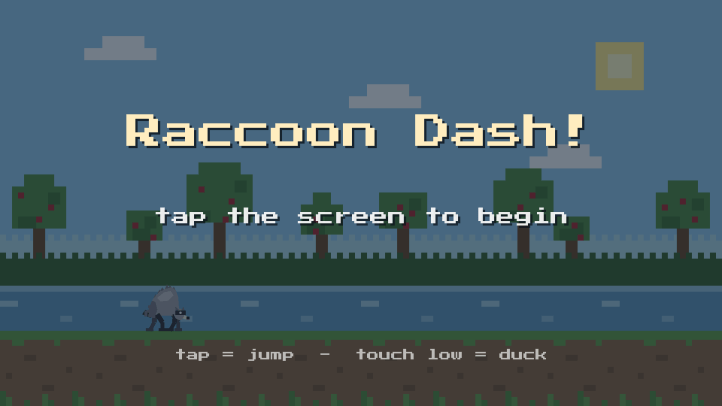
Run through the orchard collecting apples. Tap to jump over logs and rocks, touch low to duck under branches. Apples fill the wooden tub in the corner. When it is full, the hot spring arrives and he cannonballs in for a soak. Then he gets out and runs again, a little faster. That is the whole game. There is no way to lose and no way to finish.
Common questions
Does the game need the internet?
No. It never connects to anything and works fully offline. The app does not even ask your device for permission to use the network.
Are there ads or in-app purchases?
No, and there never will be in this game.
Ducking does nothing when I press.
Touch and hold the bottom third of the screen, and keep holding. A quick tap anywhere, including low down, is read as a jump. Ducking works from the very first run; there is no level to unlock and no button to find.
He keeps hitting the branches.
Branches are the only obstacle that has to be ducked rather than jumped. Everything else can be cleared with the shortest possible tap. If holding and tapping at once is awkward, two people can share a tablet: one holds the bottom of the screen to duck, the other taps to jump.
Can I turn the sound off?
Yes, the speaker button in the top corner. The setting is remembered between sessions.
Can I pause it?
Yes, the pause button in the top corner. The game also pauses itself if you switch to another app or the screen turns off, so a run is never lost because someone called.
What languages does it support?
Twelve: English, German, Spanish, French, Italian, Dutch, Polish, Portuguese (Brazil), Swedish, Czech, Greek and Russian. It follows the language your device is set to. There is very little text either way.
The game will not start, or it freezes.
Fully close the app and reopen it. If that does not help, restart the tablet. If it still does not work, email us with your device model and which Fire OS version it runs, and we will dig in.
How do I get a refund?
Purchases are handled by the store you bought from, which for Fire tablets is Amazon, so refunds go through their standard process. If something is wrong with the game, please tell us as well so we can fix it.
Contact
Email: support@gameshoutout.com
We are a small shop and we read everything. If you are reporting a problem, include your device model and, if you can, what was happening on screen.

